CHROME EXTENSION
Every tab, exactly where it belongs.
Tab Cleaner is a tab manager for Chrome that groups tabs by app, closes duplicate tabs, consolidates windows, and tucks away stale tabs, with a review step before anything changes.
Runs entirely on your device. Your tabs are never sent to a server.
One-click tab organization
If you work across Google Docs, Sheets, Gmail, Figma, Salesforce, Notion, and analytics tools all day, your browser fills up fast. Tab Cleaner sorts it out.
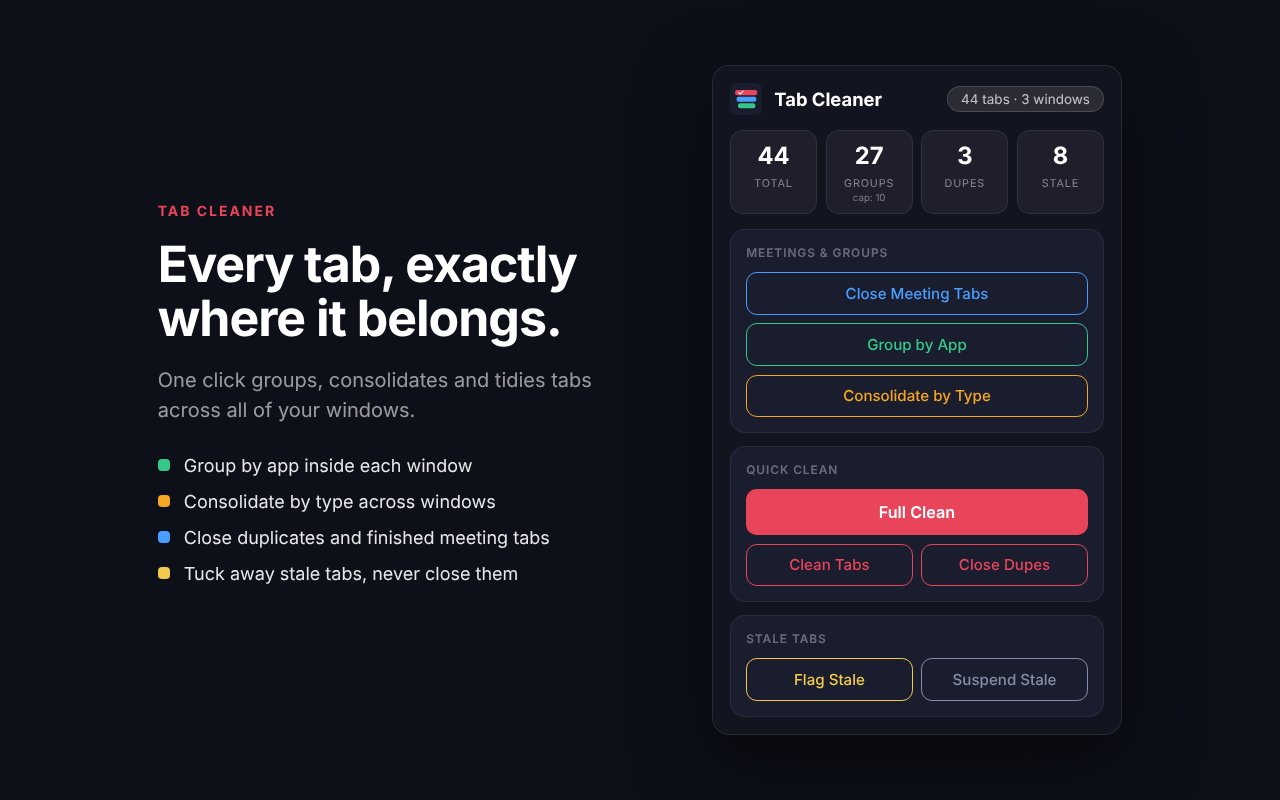
Group by app
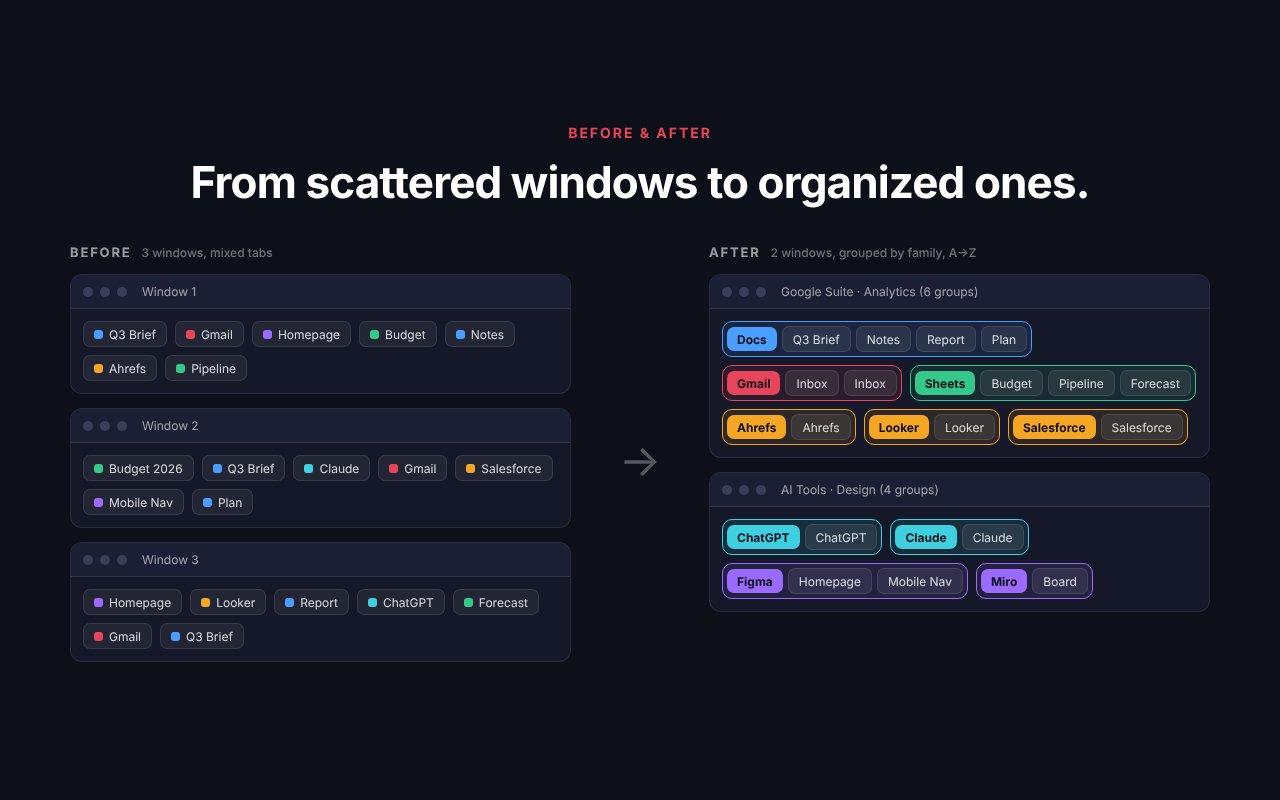
Tabs in each window are grouped by app (Docs, Sheets, Slides, Gmail, Figma, GitHub and more), sorted A to Z, with the most recently visited tabs first. Nothing moves between windows.
Consolidate by type
Merge tabs from every window and organize them by app family. Related apps share a window, and a new window opens only when one would exceed your group limit.
Close duplicate tabs
Finds tabs with the same URL and keeps the one you used most recently.
Close meeting tabs
Clears out leftover Zoom, Google Meet, Microsoft Teams, and Webex tabs once your calls are over.
Stale and inactive tabs
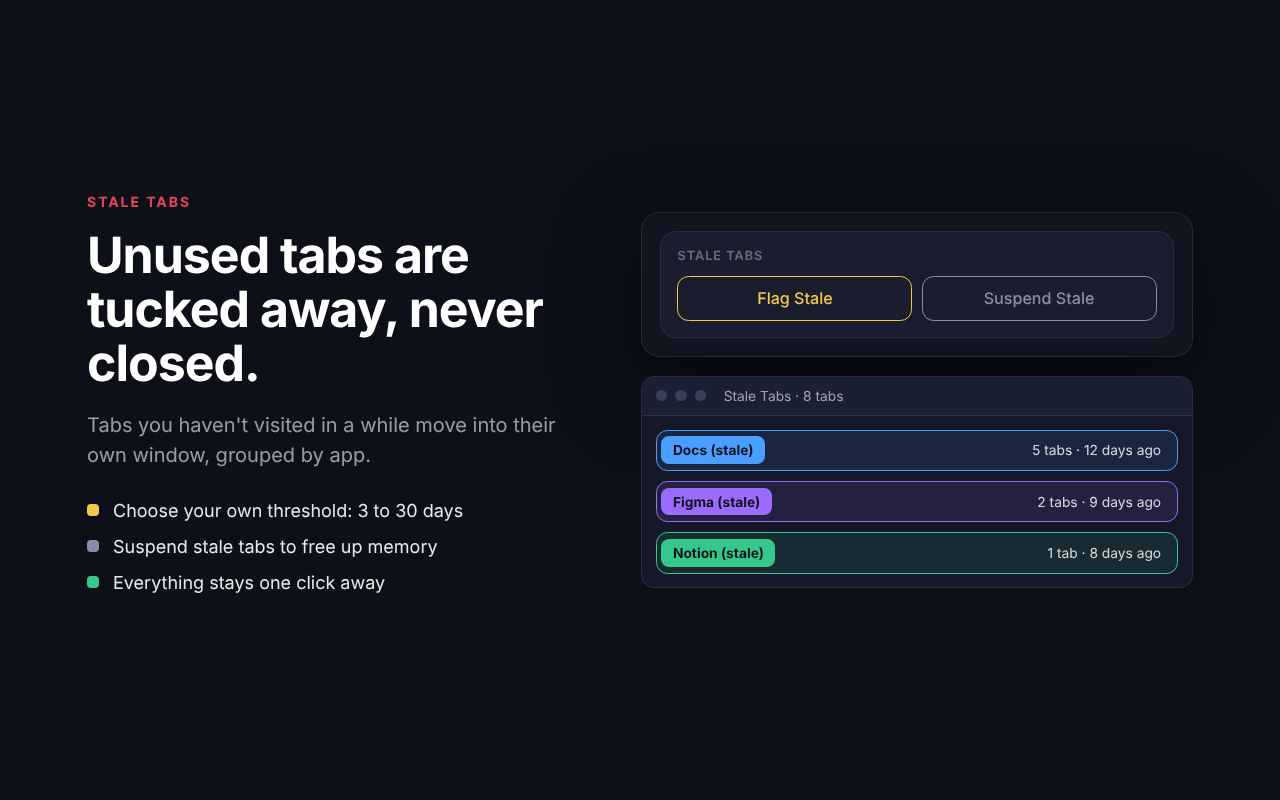
Tabs you haven't visited in a while move into their own stale window, grouped by app. They are never closed automatically, and you can suspend them to save memory.
Make it yours
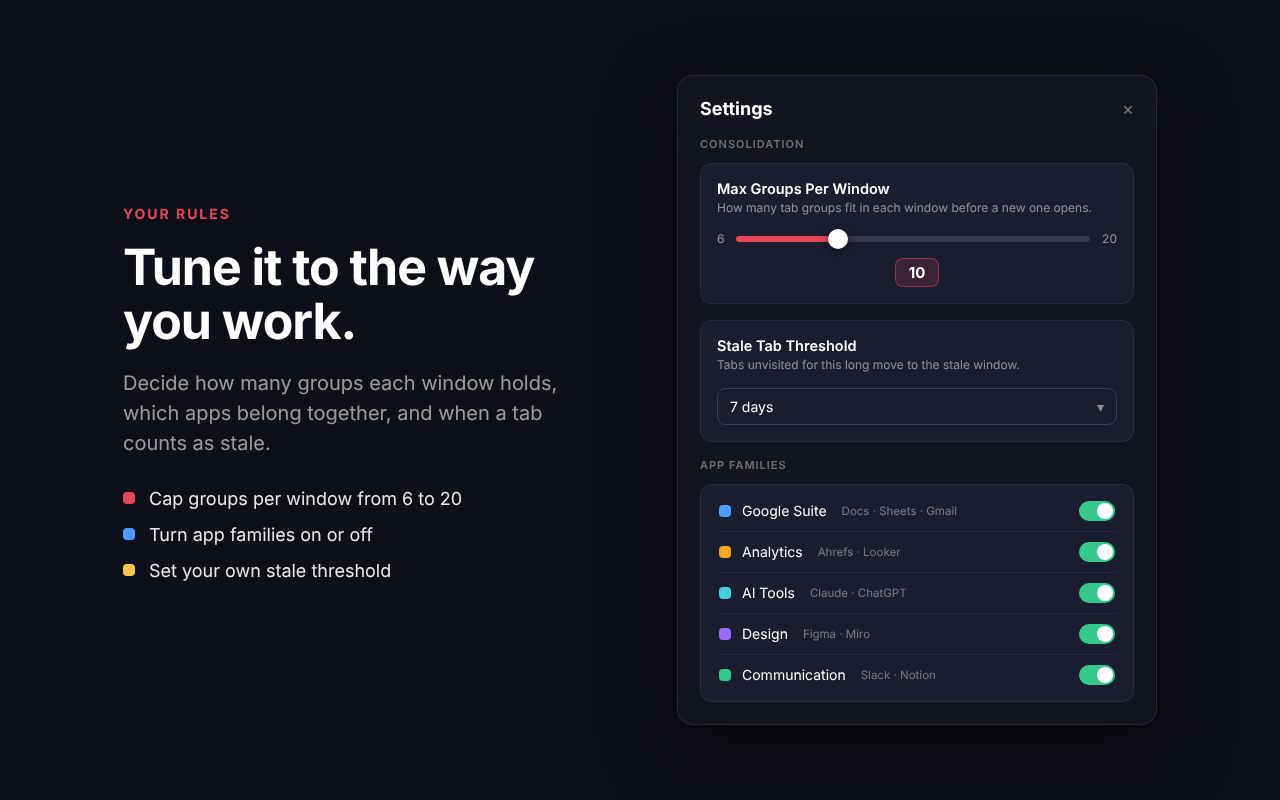
Set the maximum groups per window (6 to 20), choose your own stale threshold (3 to 30 days), and turn app families on or off.
How it works
Three steps, and you stay in control the whole way.
- Pick an actionClick the Tab Cleaner icon and choose Group by App, Consolidate by Type, Close Duplicates, or any other cleanup.
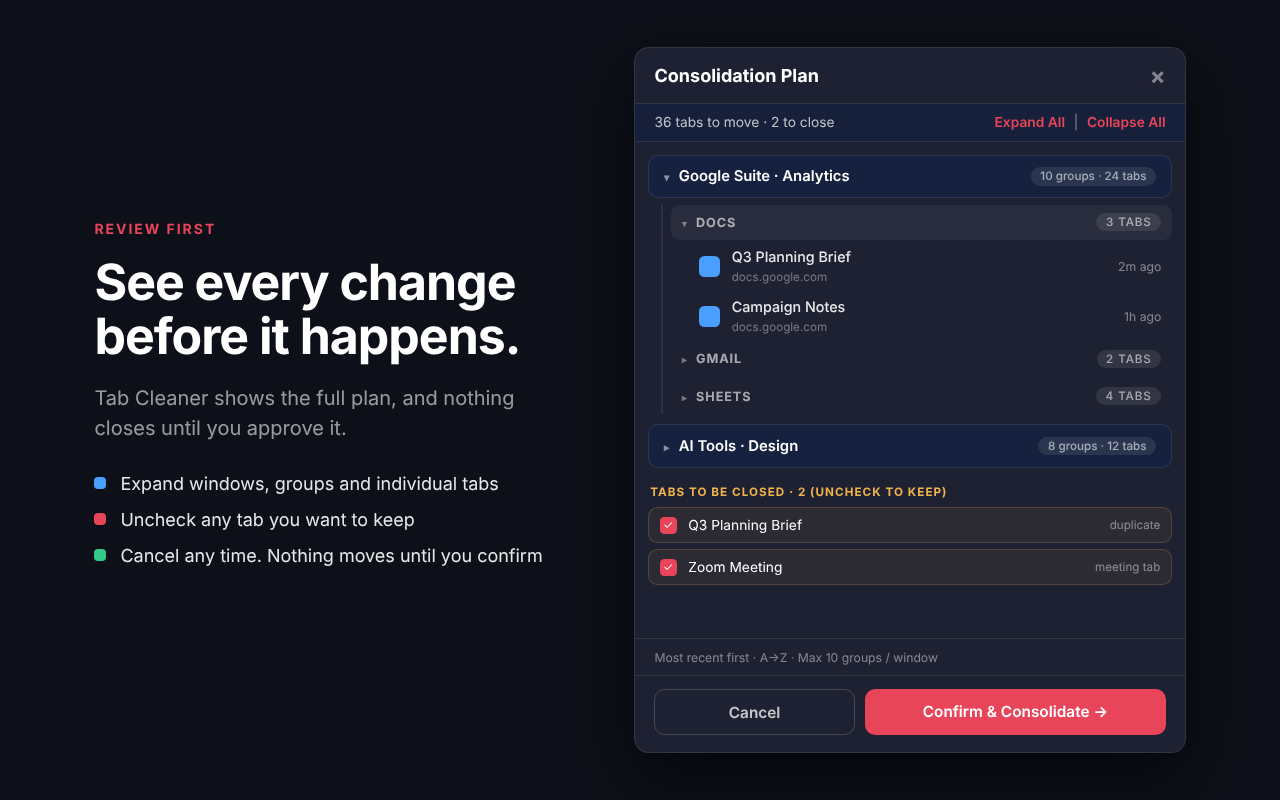
- Review the planSee every window, group, and tab that will be affected. Anything that would close has a checkbox, so you can uncheck what you want to keep.
- ConfirmTab Cleaner applies the plan. Nothing moves or closes until you say so.
See it in action
A clean popup, a full review before anything changes, and settings that fit the way you work.
Safe and private by design
Your tabs are yours. Tab Cleaner is built to be predictable and to keep your browsing on your device.
- Review the full plan before anything moves or closes
- Stale tabs are moved, never closed automatically
- Your existing tab groups are respected
- No accounts, no tracking, no analytics
- Tab data is processed locally and never leaves your device
- Read the full privacy policy
Frequently asked questions
Quick answers about how Tab Cleaner works.
Does Tab Cleaner close my tabs?
Only duplicate tabs and finished meeting tabs are ever candidates for closing, and only after you approve them in the review screen. Stale tabs are moved into their own window and never closed automatically.
Is my browsing data sent anywhere?
No. Tab Cleaner reads tab URLs, titles, and last-visited times locally to do its job. That information is never sent to a server, sold, or shared.
How many tab groups can fit in one window?
The default is 10 groups per window, and you can change it from 6 to 20 in Settings. When a window is full, Tab Cleaner opens another one without splitting an app family apart.
What is the difference between Group by App and Consolidate by Type?
Group by App tidies each window in place and never moves tabs between windows. Consolidate by Type pulls tabs from all windows together and organizes them by app family, so related apps end up in the same window.
Which version of Chrome do I need?
Chrome 121 or later. Tab Cleaner uses tab groups and last-visited times, which require a recent version of Chrome.
How do I get support or send feedback?
Email info@simmonstobias.com.
Get your browser back under control.
Install Tab Cleaner and organize every tab in one click.
Add to Chrome